Choosing the Right Foundation: Evaluating a Cook Book KDP Interior Template
For many aspiring authors and home cooks, the dream of publishing a personal cookbook is often tempered by the technical hurdles of design and formatting. Navigating page dimensions, margins, and print-ready specifications can stall a project before it even begins. This is where pre-designed interior templates enter the picture, offering a structured starting point. A Cook Book KDP Interior Template is a specialized layout file designed specifically for creating recipe books to be published on Amazon's Kindle Direct Publishing platform.
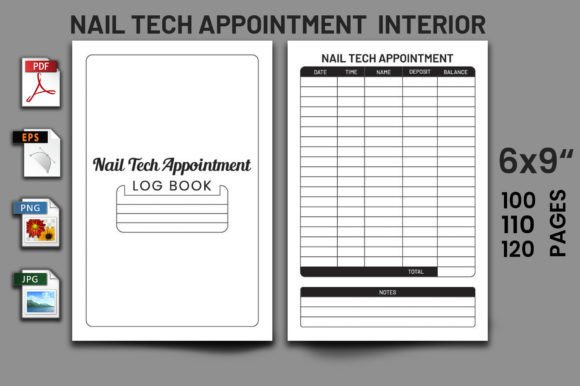
What distinguishes this category of template from a generic document layout is its intentional structure. It is pre-formatted with consistent sections for recipe titles, ingredient lists, step-by-step instructions, and often includes placeholder elements for notes, cooking times, or serving sizes. The core value lies in its removal of the guesswork regarding technical print requirements, such as the correct 6" x 9" trim size and the appropriate margins for a "No Bleed" publication, ensuring the final PDF meets KDP's upload standards without error.
The Landscape of Cookbook Creation Tools
When considering how to bring a cookbook to life, authors typically evaluate several paths. The spectrum ranges from fully custom design using professional software like Adobe InDesign, to utilizing simpler word processors, and finally, to employing pre-made templates like the Cook Book KDP Interior Template. Each approach carries its own set of tradeoffs.
Custom design offers maximum creative freedom. An author can dictate every visual detail, from unique fonts for recipe headings to custom graphics separating sections. However, this route demands significant design skill, access to costly software, and a meticulous understanding of publishing specifications. It is often impractical for someone whose primary expertise is culinary, not graphic design.
At the other end of the spectrum, using a basic word processor feels familiar and accessible. One might start a document and simply begin typing recipes. The challenge here is consistency and compliance. Ensuring every page has identical formatting, that pagination is controlled, and that the final document exports as a precisely-sized, print-ready PDF requires a level of document mastery many users lack. It can become a time-consuming puzzle, diverting energy from the actual content creation.
The Specific Role of a Structured Template
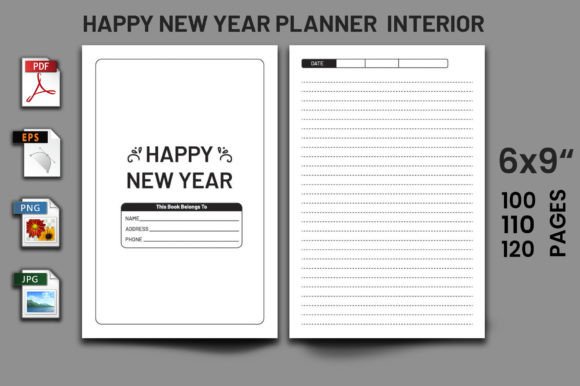
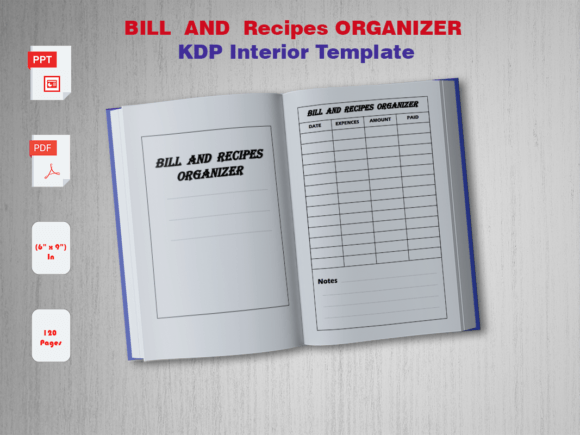
A Cook Book KDP Interior Template operates as a pragmatic middle ground. It provides the necessary technical framework while leaving the content entirely to the author. By opening such a template—often provided in PowerPoint (PPT) format alongside the ready PDF—the user encounters a pre-built canvas. The pages are already set to 6" x 9", margins are correct for no-bleed printing, and logical placeholders for text blocks are in place.
The inclusion of source files like PowerPoint is a critical feature. PPT is a widely available application, and its editing interface is generally more intuitive for arranging page-based layouts than advanced design software. It allows for meaningful customization: changing font styles, adjusting the order of elements, or adding personal touches like a small icon, without requiring the user to build the entire page architecture from scratch. The provided high-quality PDF serves as both a preview and the final file for upload, guaranteeing it is "print-ready."
Analyzing the Fit: Strengths and Considerations
The primary strength of a Cook Book KDP Interior Template is efficiency. It translates a complex technical requirement into a simple fill-in-the-blank task. For an author with a collection of recipes ready to organize, this can dramatically accelerate the publishing process. The assurance that the dimensions and file format are correct removes a major point of anxiety, allowing the focus to remain on recipes, testing, and personal stories.
Another significant advantage is consistency. A professionally designed template ensures a uniform look across all pages. This visual coherence is important for reader experience and lends the final book a polished, credible appearance, which can be difficult to achieve with ad-hoc word processor formatting.
However, understanding its limitations is key to making an informed decision. A template, by definition, provides a predefined structure. If an author's vision for their cookbook involves highly unconventional layouts—such as extensive full-page photography integrated with text, complex multi-column designs, or interactive elements—a standard Cook Book KDP Interior Template may feel restrictive. The customization possible in PowerPoint is real, but it is bounded by the initial design framework.
Furthermore, the value of the template is intimately tied to the quality of its original design. A well-considered template will have a logical hierarchy (clear H1-style recipe titles, distinct sections for ingredients and method), thoughtful typography, and a balanced use of space. A poorly designed one might cramp text or use awkward fonts. Therefore, evaluating the preview of the template's PDF output is an essential step before commitment.
When Is This Template the Right Choice?
This solution is particularly well-suited for several realistic scenarios. First is the home cook or family historian wishing to compile heirloom recipes into a tangible book for personal use or small-scale sale. Their goal is preservation and sharing, not competing with lavishly produced culinary titles. The template offers a dignified, professional format without design overhead.
Second is the niche expert, such as a blogger focusing on gluten-free baking or campfire cooking, looking to expand their audience into a paperback offering. They already have content; they need a swift, reliable way to package it. The Cook Book KDP Interior Template acts as the packaging mechanism.
Third is the author testing the market. Publishing a first, modest cookbook via KDP is a low-cost way to gauge interest. Investing hundreds of hours in learning complex design or hundreds of dollars in hiring a designer might be premature. Using a template represents a minimal upfront investment of time and resources, allowing the author to validate the project's viability.
Key Decision Factors and Practical Comparisons
When evaluating whether to use a Cook Book KDP Interior Template versus another method, consider these practical factors:
- Time vs. Control: How much time can you allocate to design? A template saves weeks of learning and experimentation. If complete artistic control is non-negotiable, a template may frustrate you.
- Technical Confidence: Are you comfortable manipulating PDF settings, page sizes, and export options? If not, the guaranteed print-ready aspect of a template is a major benefit.
- Content Volume and Type: Is your book purely text-based recipes, or is it a visual feast? Templates excel with text. For image-heavy books, ensure the template layout has adequate, well-placed image placeholders or consider a more customizable route.
- Source File Accessibility: The availability of PowerPoint source files is a crucial point. It provides the "why" behind the template's flexibility. A template offering only a final PDF is essentially a static document; one with PPT files is a malleable tool. Compare options based on what editable files are included.
In a direct comparison with building from scratch in a word processor, the template often wins on reliability and finish. A Word document might look perfect on your screen but export with shifted margins. The template's pre-built environment mitigates that risk. Compared to hiring a designer, the template is obviously less costly and keeps you in direct control of content input, though it yields a less unique final product.
Navigating the Purchase and Use Process
Once you decide a Cook Book KDP Interior Template fits your needs, practical steps follow. Typically, such products are marketed as instant downloads. You receive a zip file containing the Print Ready PDF, the PowerPoint source files, and sometimes PNG image files of elements for extra flexibility.
The effective workflow is to open the PowerPoint file and begin populating the placeholder text with your recipes. Use the PDF as a reference for how the final product should look. Customization can happen incrementally: you might change all recipe title fonts to a specific color first, then later decide to add a small decorative line under each title. Because the page count is preset (e.g., 120 pages), you need to plan your content volume accordingly or understand how to add or remove pages within PPT, which is a straightforward task.
The ultimate goal is to end with a PDF that is ready for upload. After editing in PowerPoint, you simply export or save your edited version as a new PDF, adhering to the same no-bleed, 6x9-inch specifications. The initial template guarantees these settings are preserved in the PPT master, making this final export simple.
Choosing a Cook Book KDP Interior Template is not about finding a one-size-fits-all solution for every cookbook vision. It is about recognizing a specific tool designed for a specific set of challenges: technical compliance, time efficiency, and achieving a baseline of professional presentation. For authors whose priorities align with overcoming those hurdles quickly to get their culinary content into readers' hands, it represents a balanced and practical path forward. For those whose project demands extensive artistic deviation from standard formats, it may serve as a useful reference but not the final solution. By understanding its distinct role and comparing it against your own resources, goals, and constraints, you can make a more confident decision in foundational your publishing project.